
Asset Management Plus for Matrix42
Key Facts
- Digital Management of Stock Checks, Reservations, and Inventory
- Automated asset management to reduce the burden on IT resources
- Flexible "Warehouse & Logistics" and "Inventory" modules for standalone use
- Can be used directly in the Matrix42 Cloud and integrates seamlessly with Consulting4IT MALM
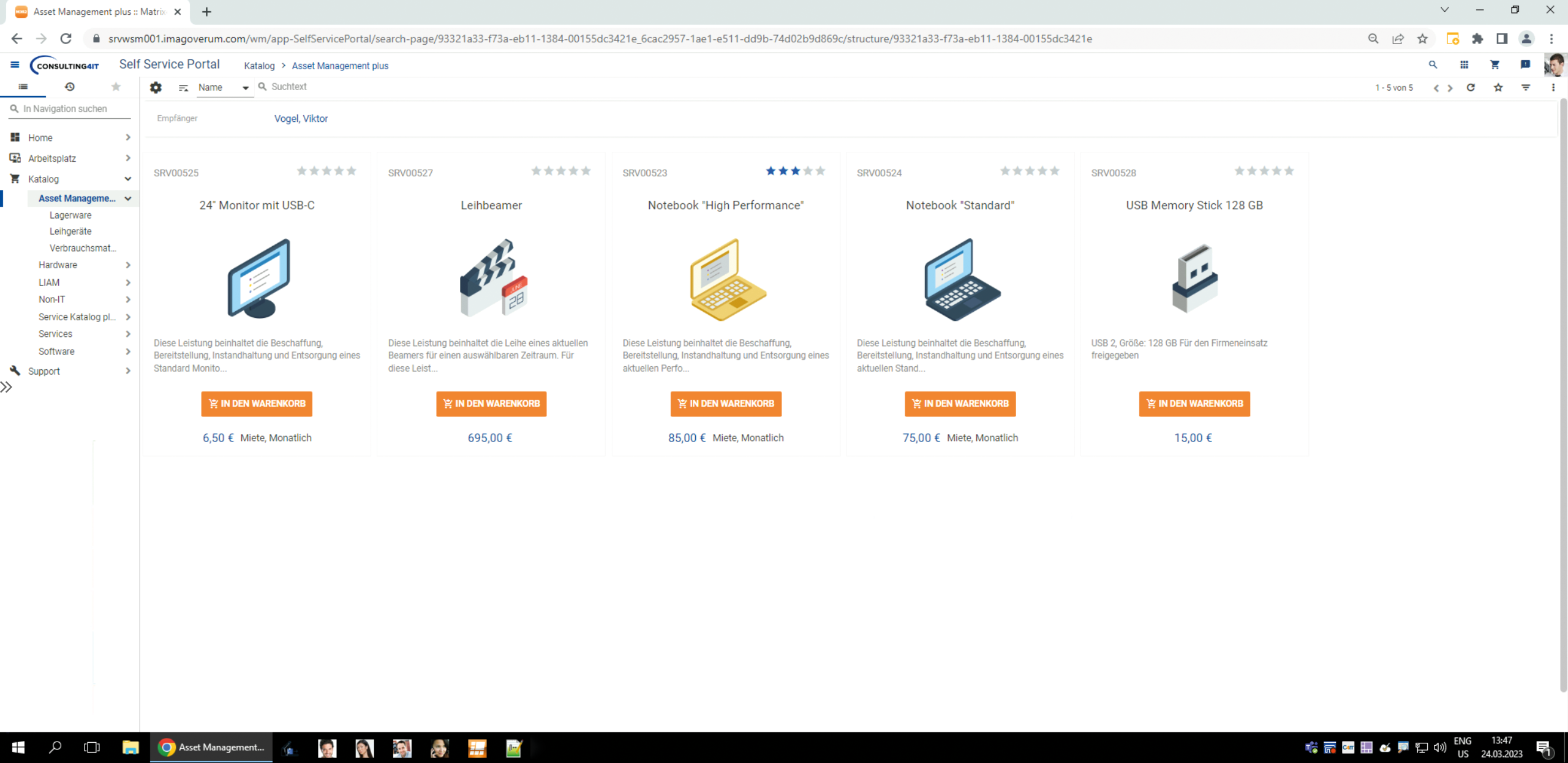
Module: Warehousing & Logistics
The “Warehouse & Logistics” module significantly streamlines the asset ordering process. As soon as a user places an order, the system automatically analyzes the user’s location to determine the appropriate warehouse for delivery. It also checks whether the requested item is in stock. If it is, the asset is automatically reserved according to the “first-in, first-out” (FIFO) principle. This makes it easier for the IT department to prepare for shipment. The entire process—from ordering, through inventory checks, maintaining minimum stock levels, reservations, and procurement, all the way to shipping tasks—is fully automated.
The process for issuing and returning loaned equipment is also easy to manage. The calendar view provides an overview of all loaned equipment. The extension allows users to request an item in the Service Catalog for a specific period of time. When a request is submitted, two support tasks are created simultaneously—one for the provision of the asset and one for its return.
Another advantage: Consumables and small parts no longer need to be created individually. Data entry is significantly simplified, and the set of parameters is greatly reduced. Like standard assets, consumables and small parts can be requested via the Service Catalog. Automatic inventory monitoring—for example, for reorders—is also integrated. When a delivery task is created, small parts and consumables are automatically assigned the status "reserved." After delivery, these are deleted from Asset Management to provide a clearer overview.
Module: Inventory
This module allows you to plan, conduct, and immediately analyze inventory counts. You can choose which asset types and locations to include in the inventory. To carry out the inventory, you assemble teams for each location. Authorized team members can view the assets in Matrix42 and mark them as checked off during the inventory count.
This process is even easier with ourMALM add-on. When assets are scanned, they are automatically marked as verified on the inventory list and no longer need to be processed manually. Any assets that are not found can be assigned to a specific category at the end of the inventory. Assets found during the inventory but not yet recorded in Matrix42 can be created directly.
This approach significantly improves the data quality of your assets in Matrix42. It helps identify and prevent "dead capital" resulting from unrecorded assets. Thanks to this fully transparent process and accurately recorded assets, unnecessary tickets are avoided, and incident management is streamlined.

Marcel Nyhuis
Our CSM team is here to answer your questions about our products.