
Matrix42 Customer Panel
Key Facts
- Instant visibility of IT tickets—even without the Matrix42 portal open or an active VPN connection
- Fewer duplicate tickets thanks to proactive notifications about known disruptions
- Significant time savings through automated, targeted communication
- Effective user information through pop-ups, logical sorting, and highlighting of unread messages
Go directly to ticket creation for faster response times
- Keep track of ongoing service orders and approvals at a glance
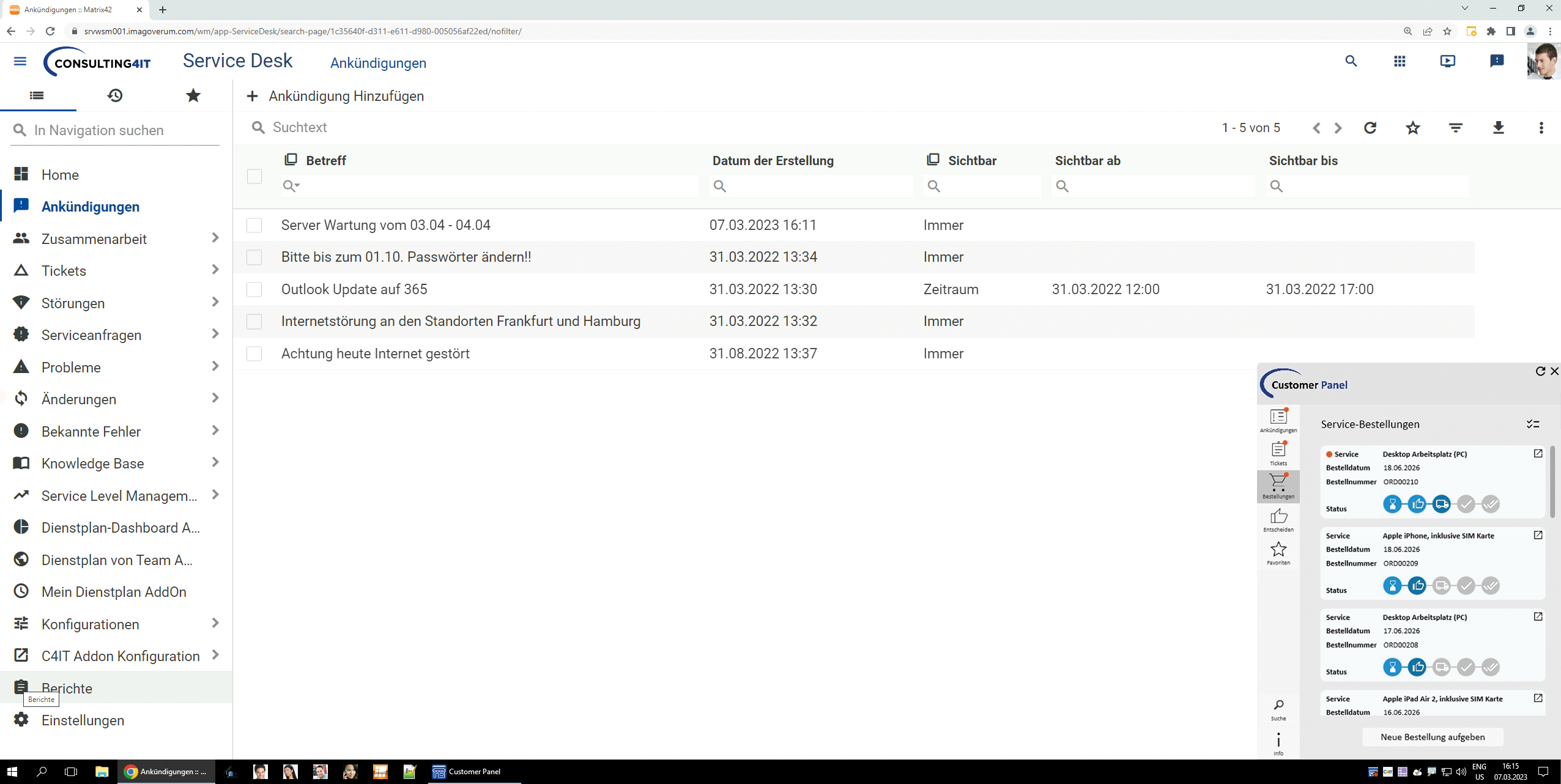
Proactive IT Communication Through Automation
The Customer Panel enhances Matrix42 with a powerful communication solution. IT announcements, outages, maintenance work, and ticket updates are displayed directly on the screen—even without the Matrix42 portal open and regardless of whether a VPN connection is active. Targeted notifications reduce duplicate tickets, as known outages are communicated early and proactively. Automated communication reduces the workload on the IT department and saves time by eliminating the need for manual information sharing. Pop-up notifications and the highlighting of unread messages ensure that information is noticed immediately. In addition, messages can be targeted to specific groups or, if necessary, distributed to all clients in a matter of seconds. If a user wishes to create a new ticket, this can also be done via the Customer Panel.
Features at a Glance
Announcements
Whether it’s current outages or scheduled maintenance, affected users are notified promptly and in a targeted manner. This helps prevent duplicate tickets for known issues, saving time and resources.
Tickets
Users can keep track of their tickets and their status at all times. Automatic notifications immediately alert them to status changes or new comments. If a new ticket needs to be created, this can be done directly from the Customer Panel using the appropriate button.
Service Orders
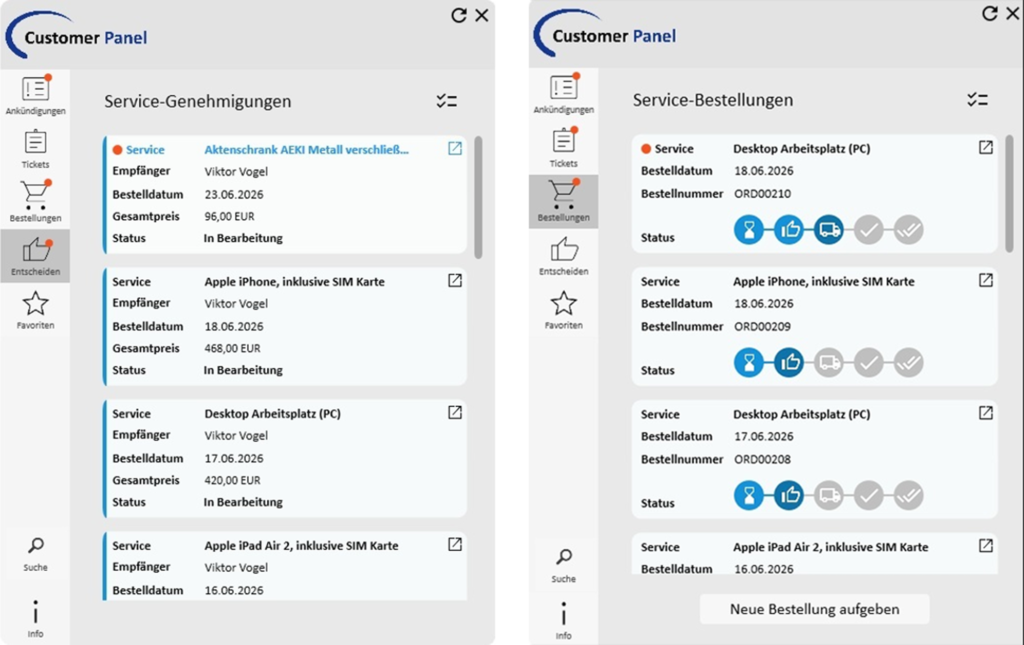
Users can keep track of their active service orders directly in the Customer Panel. All orders they have placed themselves are clearly displayed along with the order date, order number, and current status. This makes it easy to see at any time how far along an order is—without having to contact the Service Desk or switch to the Matrix42 Service Portal.
Service Authorizations
Pending service approvals are displayed directly to approvers in the Customer Panel—including the recipient, order date, total price, and current status. Approvers are proactively notified of pending approvals in the Customer Panel. This ensures greater transparency and helps process approvals more quickly and speed up ordering processes.
Search engine
The Customer Panel serves as a central search engine for personalized information from the Matrix42 Service Portal. The prominently placed search bar provides quick access to relevant content. Search terms yield directly relevant results, such as available services, knowledge base articles, or service disruptions.
Quick Links & Favorites
Important links—such as those to SharePoint, the company website, or the intranet—are centrally managed by the IT department and are always up to date and available. In addition, personal favorites from Matrix42 are clearly displayed in the Customer Panel alongside the stored custom links.
Client Information
All relevant workstation information, such as the IP address, the time of the last reboot, or existing remote connections, is clearly documented. In the event of a support request, this information can be shared quickly and easily.

Marcel Nyhuis
Our CSM team is here to answer your questions about our products.